Step 1 of 3
Quick setup
Sign in with Google and add accounts you care about. Most people get the basics down in a few minutes.
Personal finance, fewer tabs
See spending, savings, investments, loans and important files together. You enter what you know, no bank login required.

Private by design
Notes and labels you add are encrypted before they reach storage.
No bank linking
You choose what to enter. Nothing pulls from your accounts unless you want it later.
Free to start
Core tracking stays free. Add an account when you are ready.
Why Wealth Atlas
Bills, investments and goals live in separate places, so you spend time reconciling instead of planning.
Spending, investments, goals, debts and saved files sit in one place so you always know where you stand and what to tackle next.
Notes and labels you add are locked before they are saved. They only unlock when you are signed in and using Wealth Atlas.
Short demo: you read a normal phrase in the app, then the same information is shown as scrambled characters, then as dots, like a hidden password, to show how storage differs from what you see on screen.
Security and privacy
We do not keep your private wording as plain sentences in the database. It is scrambled first, the way a messaging app might protect a chat backup.
That covers the notes and labels you add around goals, transactions, debts and assets, not the basic numbers you choose to track.
Product tour
Payments, ledgers, subscriptions, goals, investments, debts and stored files sit in one workspace so you spend less time hunting and more time deciding the next move.

Payments
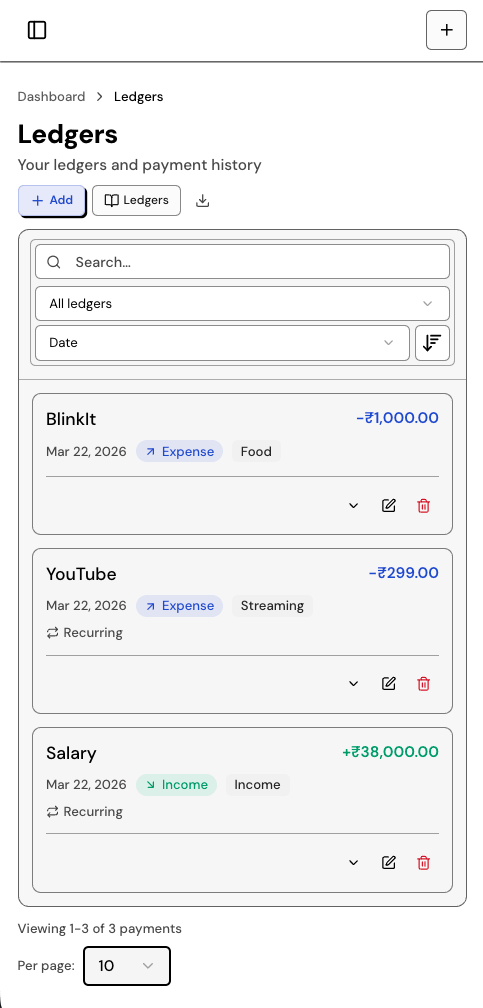
See what is due and when, so bills do not slip through and you can plan the month with less stress.
How it works
Three steps, plain language, and no bank connection required to begin.
Step 1 of 3
Sign in with Google and add accounts you care about. Most people get the basics down in a few minutes.
Step 2 of 3
Record spending, investments and payments here instead of scattered notes and spreadsheet tabs.
Step 3 of 3
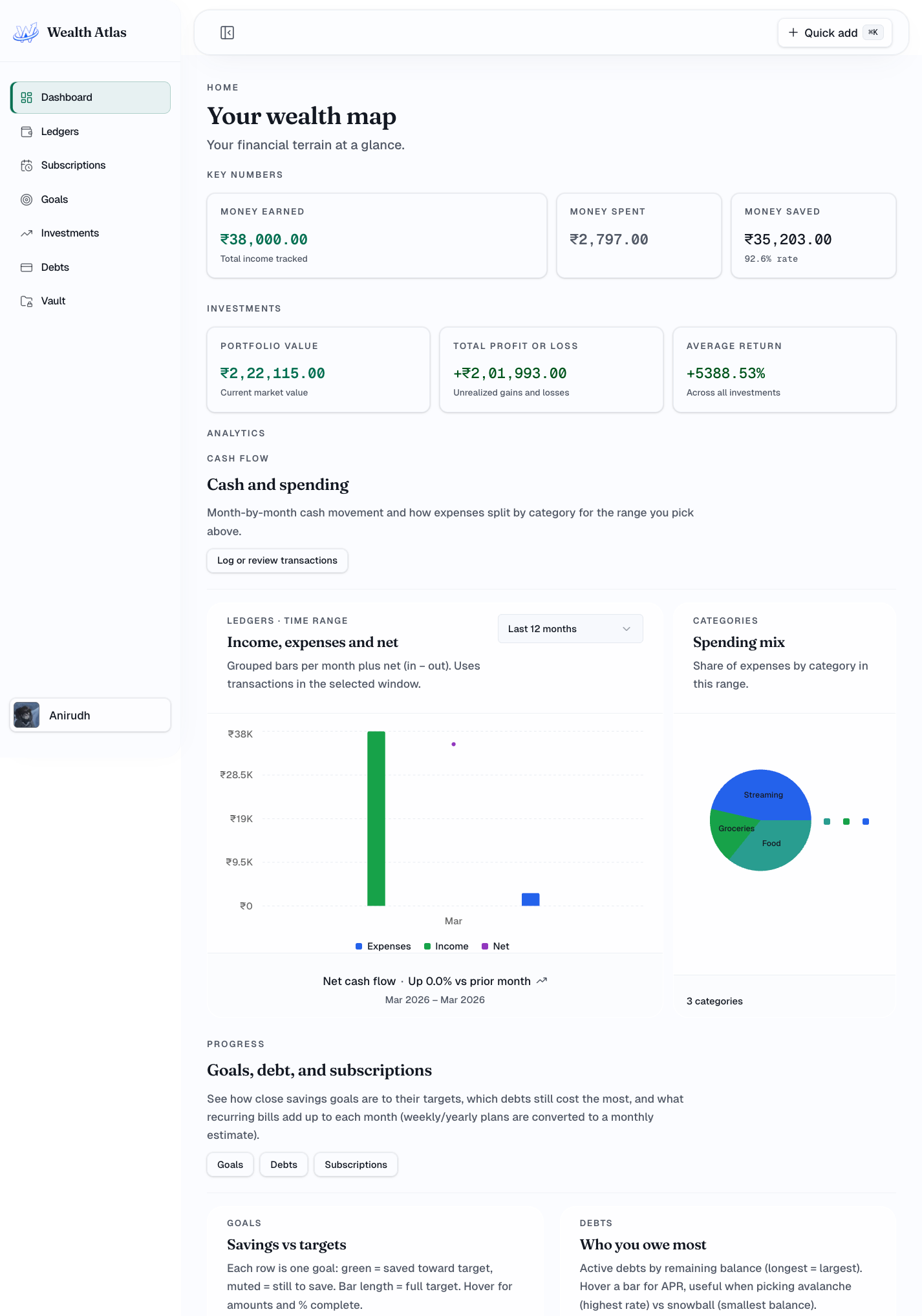
Check cash flow, savings and progress anytime from a single home screen so the next step stays obvious.
What you get
Track money day to day, read the big picture on your dashboard, plan goals and loans, and keep documents where you already work.
Feature 1 of 5
Log what you earn and spend by category. Set up repeating entries for rent, subscriptions and bills so they update themselves.
Feature 2 of 5
One home screen for net worth, how much you save each month, and where your money went, without digging through files.
Feature 3 of 5
List stocks, mutual funds and fixed deposits with what you paid and what they are worth today, in plain numbers.
Feature 4 of 5
Save toward a trip or emergency fund while keeping loans and cards in view so paying them down stays part of the plan.
Feature 5 of 5
Keep property papers, insurance, tax PDFs and other files in a password-protected space with quick previews when you need them.
Get started
Sign in with Google. No card on file: a single workspace for ledgers, goals, debts and saved paperwork.
Secure · Private · No credit card